Hands-on labs for every practical course, faculty by faculty.
Peridot fits the way a university is already run: faculties, departments, levels and sessions, down to the course code. Lecturers keep their syllabus; students get a lab for every chapter.
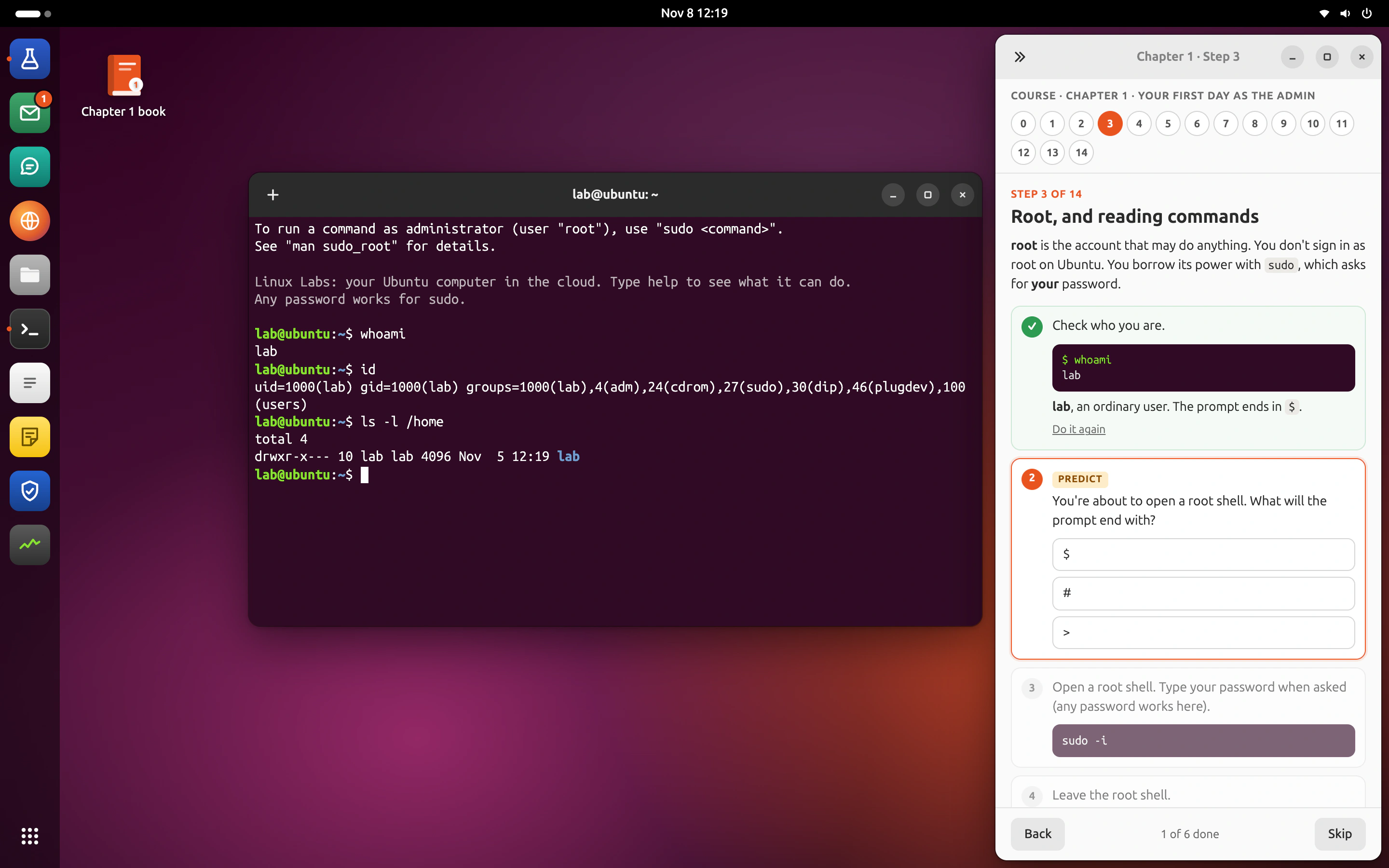
The practical part is the hard part.
Lab rooms are full and old
A practical class needs working machines for every student, every week. Most departments can’t keep that up.
Large classes, few TAs
With hundreds of students per course, marking practical work by hand takes weeks.
Accreditation asks for evidence
Reviewers want to see what students can do, not only what they scored on paper.
Built around how universities work.
University → faculty → department → level and session → course. Unit admins run a faculty or department; lecturers and TAs are added per course.
Mirrors your structure
Faculties, departments, levels (100 to 500) and sessions (2026/27). Courses keep their codes, like CSC 111 or ACC 201.
Works on student laptops
Nothing to install; it works on campus Wi-Fi or at home.
Marks with evidence
Every mark keeps what the check found, ready for moderation and external examiners.
Reports to your systems
Results go to your portal or LMS by API, or as a spreadsheet for the exams office.
Everyone sees what they need, and no more.
Five roles cover every organisation. Names stay the same everywhere, so a lecturer at a university and a trainer at a company use the same screens.
| Role | Who it usually is here |
|---|---|
| Org admin | Registry or ICT. Sets up faculties and departments, connects systems. |
| Unit admin | Dean’s office or HOD. Adds lecturers, sees every course in the unit. |
| Lecturer | Owns a course. Reviews labs, watches progress, moderates. |
| TA | Helps a group. Sees who is stuck, answers questions. |
| Student | Does the labs and tests, asks the tutor. |
Ready-made courses that suit you.
Start from the catalogue, or send your own material.
Linux administration
Users, permissions, processes, services, logs and networking on a real command line. Every chapter ends with a test that inspects the machine.
SOC analyst
Triage alerts, read raw logs, follow an attacker through an attack path and write the verdict. Mapped to CompTIA CySA+ (CS0-003) objectives.
DevOps
Git, CI, containers and Kubernetes. Students build, ship and break things safely.
ICAN Foundation
Double entry, ledgers, trial balance and financial statements in a real bookkeeping app, for the Institute of Chartered Accountants of Nigeria Foundation level.
AI at Work
Use AI assistants well and safely in everyday work: drafting, analysis, checking output, and what never to paste in.
Results go where you already work.
By API, webhook or spreadsheet. Peridot never asks you to move your records.
- 01
Work is checked
A step, a lab or a whole chapter test.
- 02
Your systems hear at once
A webhook the same minute, with the score and evidence.
- 03
Gradebook and HR stay current
Your LMS, gradebook or learning system, unchanged.
- 04
Read any time
The results API, or a spreadsheet for the exams office.
Start small. Grow when it works.
- WEEK 0
One course
Pick a course with a practical side and a lecturer who wants it.
- TERM 1
Pilot
Labs built with the lecturer, used by one class, results reported.
- TERM 2
The department
More courses in the same department, with a unit admin.
- YEAR 2
The faculty
Faculty-wide, connected to your portal.
From universities
Can we use our own course material?
Yes. Send the syllabus and whatever you teach from. The engine drafts labs from it, and your lecturer reviews them before students see them.
How do students sign in?
Today, by an invitation link or a roster upload. Single sign-on with your identity provider is coming.
Does it work with large classes?
Yes. Every student gets their own computer in the cloud, ready in seconds, whether the class is 40 or 4,000.
Companies
Onboard new hires and upskill teams on the tools they will use: a terminal, a SIEM, a ledger, a spreadsheet.
Learn more →Professional bodies
Help members and candidates prepare on real work: post the entries, prepare the statements, write the memo.
Learn more →Training providers
Run Linux, DevOps, security and AI bootcamps with hands-on labs you don’t have to host.
Learn more →Send us one course. Get labs back.
Pilot Peridot with one course for one term. We build the labs with your staff, and you see every result.