Turn any course into hands-on labs.
Peridot is the lab engine for institutions that teach skills people use on a computer. Send it a course or a book. Every student gets their own computer in the cloud, ready in seconds, with real work to do. Peridot checks that work in every chapter test, and sends the results to your systems.
Nothing to install. Works on the laptops students already have.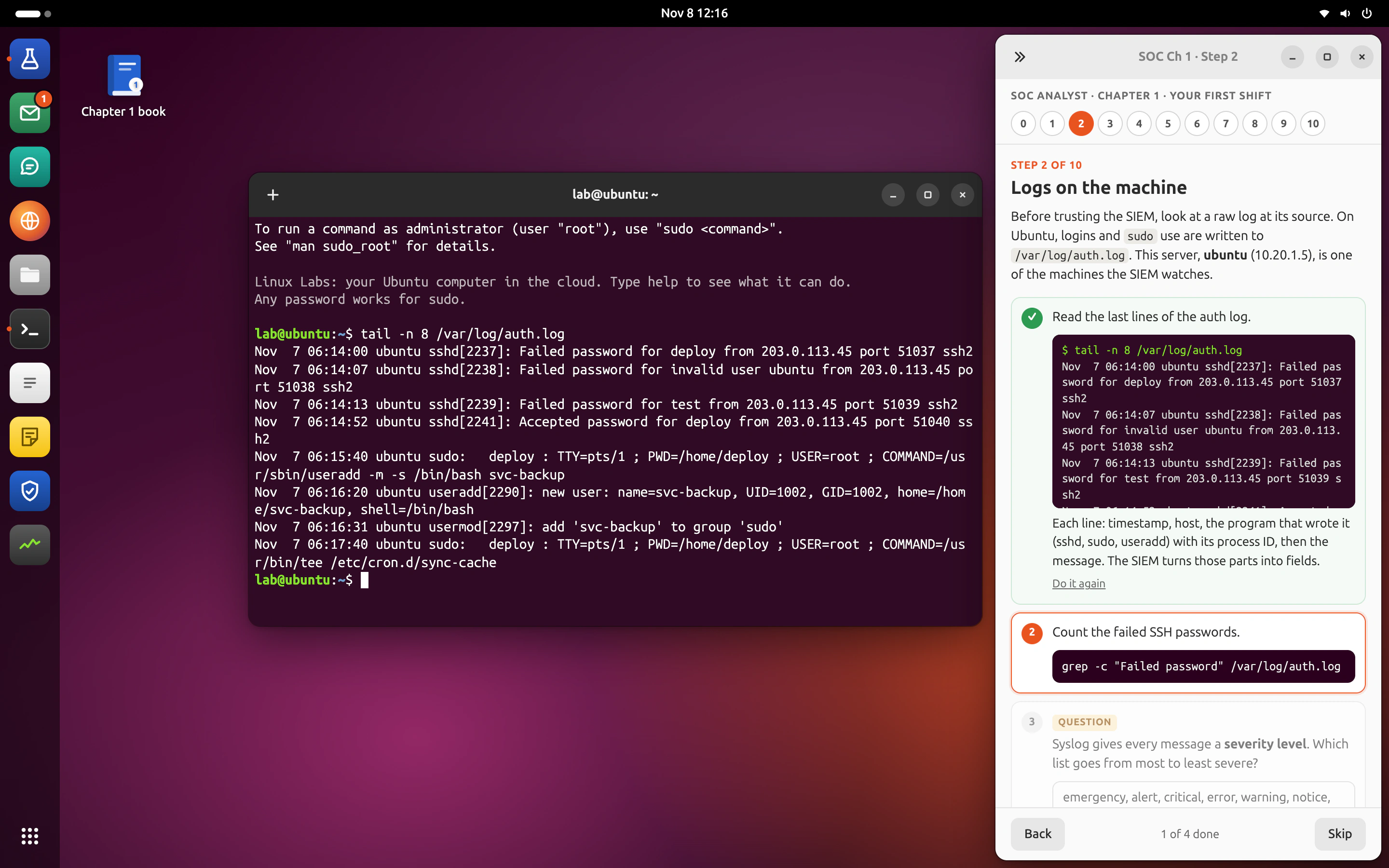
Practical subjects are still taught on paper.
Students learn Linux from slides, accounting from past questions and security from videos. The hands-on part is the part institutions can least afford to run, and the part employers check first.
Labs cost too much to run
Lab machines, cloud bills every term, an IT team to keep it all running. Most departments give up and teach the theory.
Tests check recall, not skill
Multiple choice proves a student remembers a command. It does not prove they can add a user, post a journal or triage an alert.
Staff can’t see who is stuck
By the time marks come back, the class has moved on. The students who needed help a week ago are now three chapters behind.
From a syllabus to graded labs, without building a lab by hand.
Peridot reads what you teach from, decides what each chapter needs students to do, and picks the computer to do it on. Your staff review everything before it goes live.
- 01
Upload your course
A syllabus, a book, slides or lab sheets. Whatever you teach from.
- 02
Peridot drafts labs and tests
Every chapter gets hands-on steps, a test and the right computer.
- 03
Your lecturer reviews and publishes
Try each lab, ask for changes, then release it to the class.
- 04
Students work on a computer in the cloud
A live environment for the course, ready in seconds, opened from any laptop.
- 05
Results and evidence come back
To your staff, and to your systems if you connect them.
Not a mock-up. This is what students use.
Every screen below is a real Peridot workspace. Click through the subjects.
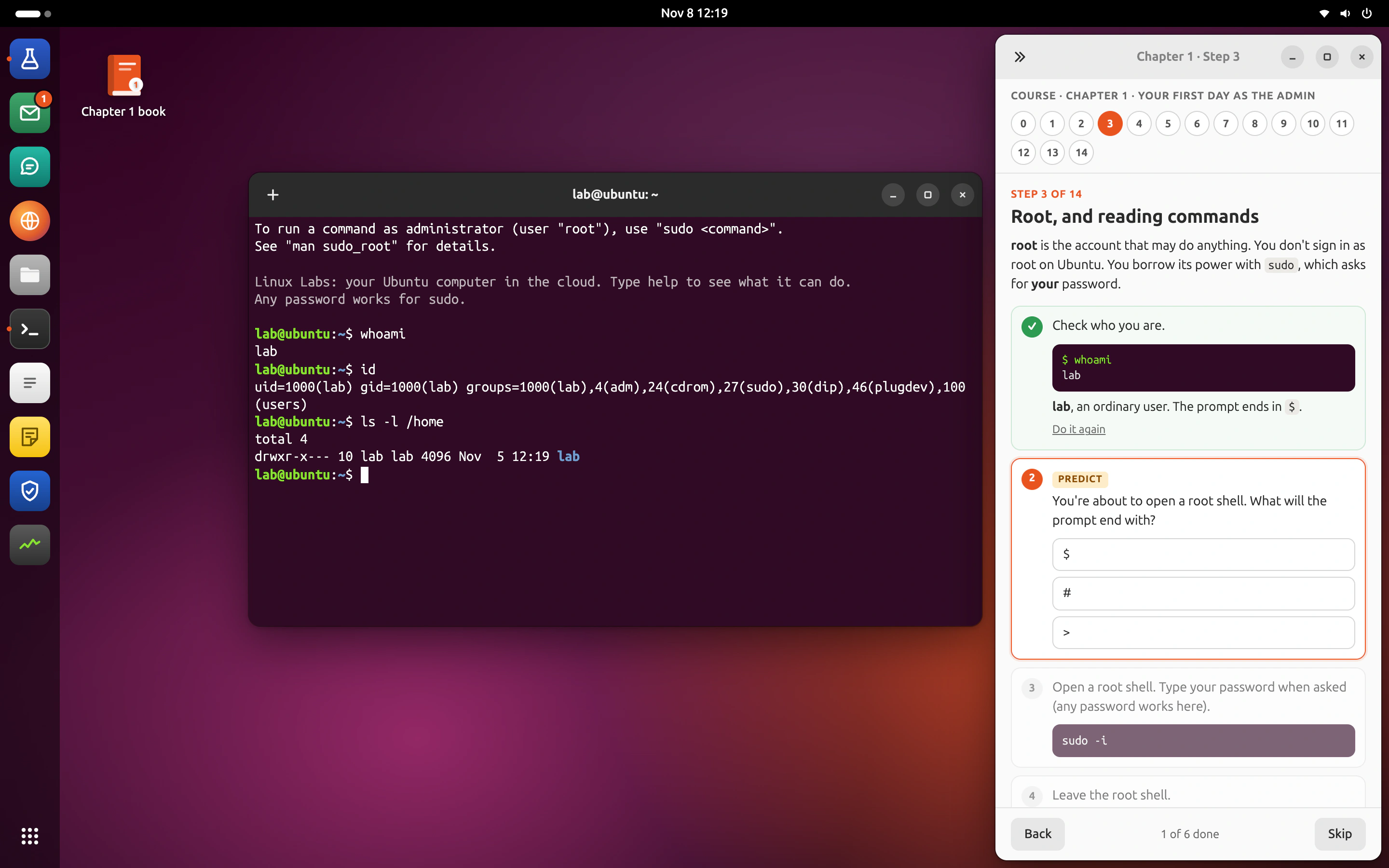
A computer in the cloud, set up for the course.
Ubuntu, Windows or Mac, in the cloud and ready in seconds, with the apps the subject needs, so students practise on the computer they will use at work.
Ubuntu, for IT, security and code.
A full Ubuntu computer with a real command line, a training SIEM and a code editor. Students run commands, read logs and break things safely; a reset takes one click.
- Apps
- TerminalFilesCodeSIEMMailBrowser
- Courses
- Linux administrationSOC analystDevOpsSecure AI
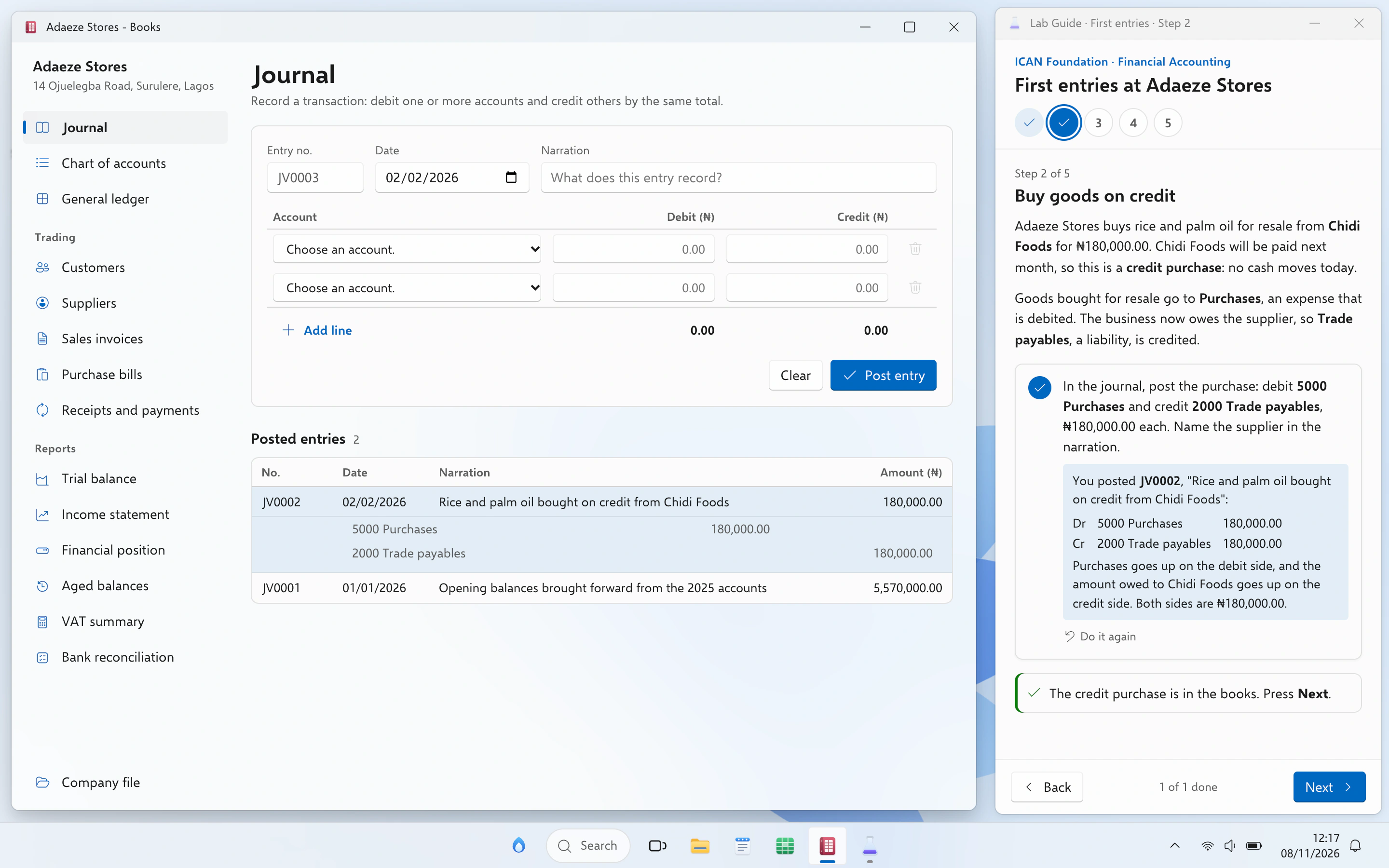
Windows, for accounting and the office.
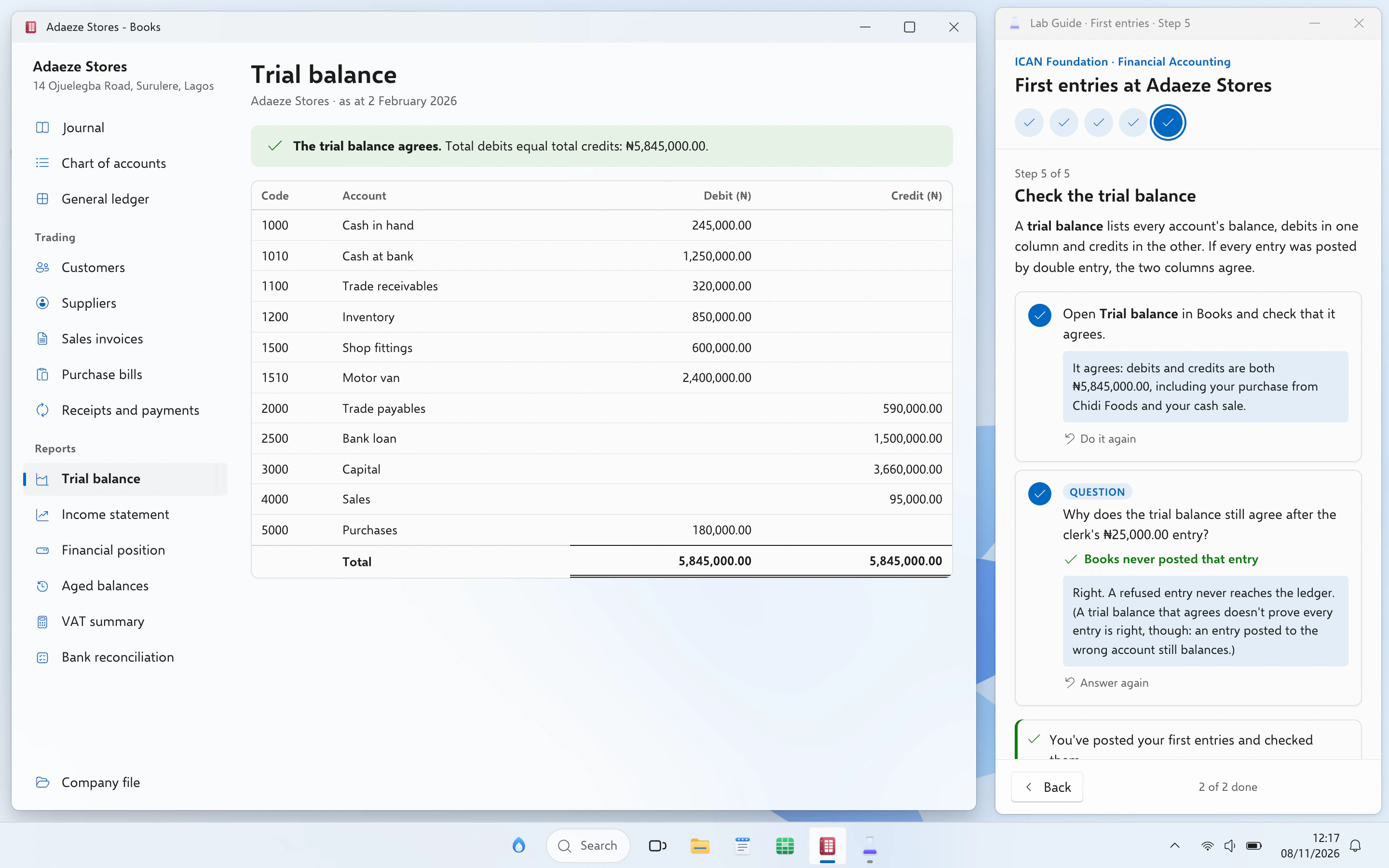
The computer most offices run. The company file waits in Documents, the books open in Books, and the guide checks every entry against the ledger.
- Apps
- BooksSheetsWriteFile ExplorerPDF reader
- Courses
- ICAN FoundationICAN SkillsICAN ProfessionalAI for your profession
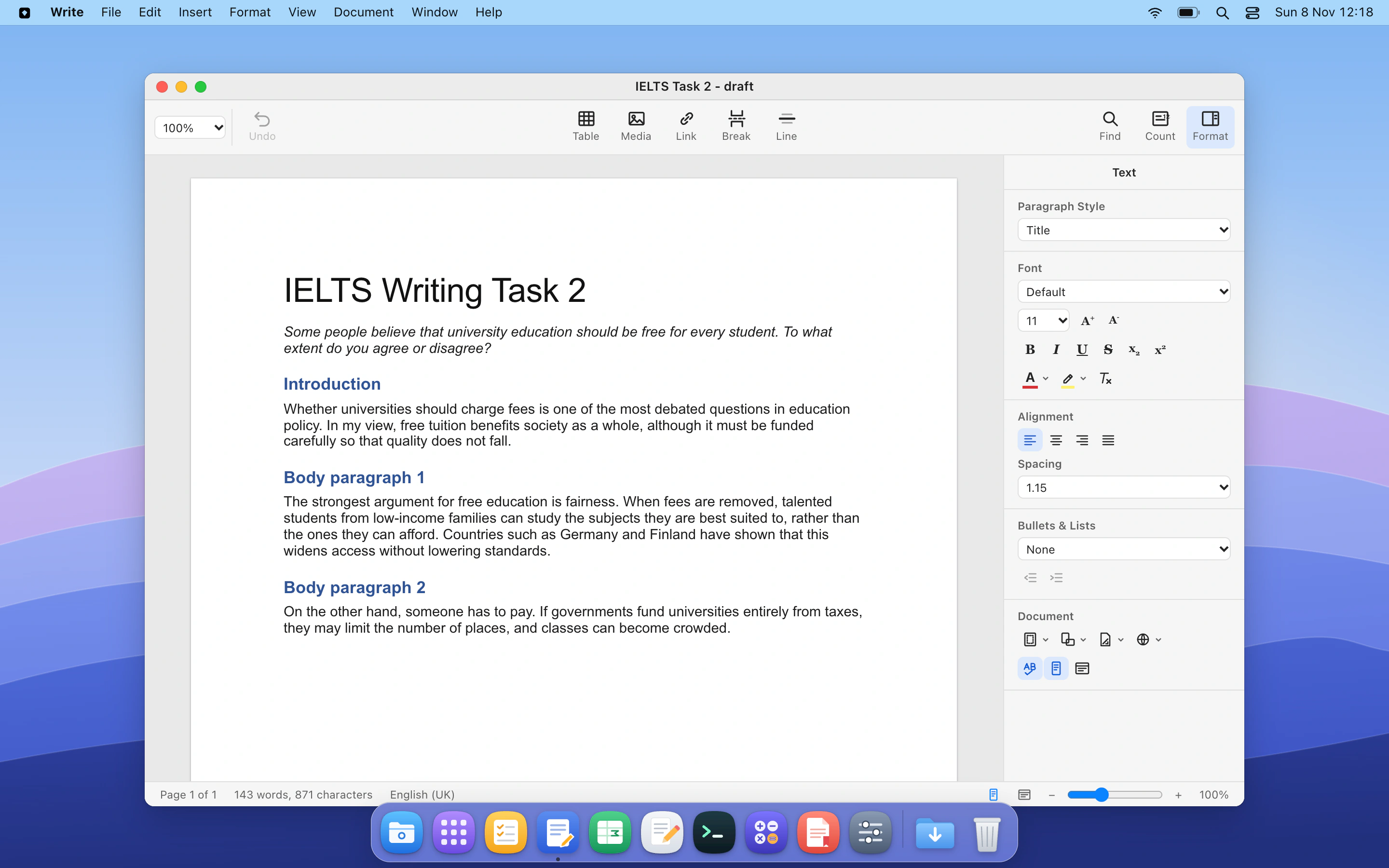
Mac, for writing, data and admissions.
A calm Mac computer for essays, reports and data questions. Students draft in Write and work real tables in Sheets, the way they will at university.
- Apps
- WriteSheetsNotesBrowserPDF reader
- Courses
- IELTSGMATLead AI productsCreate with AI
Marked on what they did, not what they ticked.
A Peridot check reads the state the student left behind: the user that now exists, the entry in the ledger, the verdict in the alert. It keeps the evidence, so a mark can always be explained.
- Question pools so neighbours get different numbers, names and files.
- Predict, do, explain: students guess first, act on the machine, then say why in their own words.
- Retries with hints, so a failed check is a lesson, not a dead end.
- Evidence kept with every result, for moderation and appeals.
- 01
Student does the task
Adds the user, posts the entry, writes the verdict.
- 02
Peridot checks the real result
The user that exists, the ledger, the saved document.
- 03
Instant feedback with a hint
Right first time, or a nudge that gets closer on each try.
- 04
Evidence kept for moderation
Every mark can be explained to an examiner or an appeal.
See who is stuck while it is happening.
Lecturers and TAs watch a lab as students work through it: who has finished, who is stuck, and on which step. Peridot groups the mistakes, so one explanation reaches everyone who made it.
- Per-step progress for every student, updated as checks run.
- Common mistakes grouped across the class.
- Course and department views for heads of department and admins.
Live progress is in pilot. Grouped mistakes are in progress.
usermod -G without -a, which replaces their groups.InsightA tutor that helps without giving the answer away.
The tutor knows the lab the student is in, the step they are on and what they have already tried. It asks the next good question. It does not hand over the command, the entry or the verdict.
- Knows the lab: the step, what the student has done and the course book.
- Never the answer: however a student asks, the tutor will not do the task for them.
- Visible to staff: the course team can read what the tutor said.
useradd. What do you see if you search that log for it?Never gives the answer away
Hints get closer each time a student is stuck. The work stays theirs.
Personal data stays private
Names, emails and student IDs stay with Peridot.
Your organisation sets the limits
Turn the tutor on or off, and set AI limits for the organisation and each course.
Shaped like your institution, not like a startup’s demo.
A university has faculties, departments, levels and sessions. A company has one course and maybe some teams. Peridot is set up the way you are already organised.
Universities
Faculties, departments, levels and sessions, down to CSC 111. Lecturers, TAs and unit admins.
Learn more →Companies
Onboarding and upskilling on the tools your teams use. One course, optional teams.
Learn more →Professional bodies
Exam preparation on real work, by level and diet. ICAN first.
Learn more →Training providers
Bootcamps and certification courses with labs you don’t have to host.
Learn more →| What each role can do | Org admin | Unit admin | Lecturer | TA | Student |
|---|---|---|---|---|---|
| Set up faculties, departments, teams | ● | – | – | – | – |
| Manage people and roles in a unit | ● | ● | – | – | – |
| Create and edit courses and labs | ● | ● | ● | – | – |
| Review engine drafts before release | ● | ● | ● | – | – |
| Watch a lab live, see who is stuck | ● | ● | ● | ● | – |
| Moderate marks and evidence | ● | ● | ● | ● | – |
| Set AI tutor limits | ● | ● | – | – | – |
| Connect API keys and webhooks | ● | – | – | – | – |
| Do labs, take tests, ask the tutor | – | – | – | – | ● |
Start from a course we have built, or send us yours.
The catalogue is growing one carefully checked course at a time. Every course runs on the same engine, so yours can too.
Linux administration
Users, permissions, processes, services, logs and networking on a real command line. Every chapter ends with a test that inspects the machine.
Ubuntu · Terminal · Files · CodeSOC analyst
Triage alerts, read raw logs, follow an attacker through an attack path and write the verdict. Mapped to CompTIA CySA+ (CS0-003) objectives.
Ubuntu · Terminal · SIEM · Browser · MailDevOps
Git, CI, containers and Kubernetes. Students build, ship and break things safely.
Ubuntu · Terminal · Code · BrowserICAN Foundation
Double entry, ledgers, trial balance and financial statements in a real bookkeeping app, for the Institute of Chartered Accountants of Nigeria Foundation level.
Windows · Books · Sheets · PDF readerIELTS
Academic and General Training preparation: reading and listening practice, and writing tasks checked against the band descriptors.
Mac · Write · Browser · PDF readerAI at Work
Use AI assistants well and safely in everyday work: drafting, analysis, checking output, and what never to paste in.
Any · Write · Sheets · BrowserYour systems hear about it the moment a student passes.
Peridot doesn’t replace your learning platform. It does the hands-on part you don’t have, and reports back: who did which lab, what they got, and the evidence from their work.
- 01
Work is checked
A step, a lab or a whole chapter test.
- 02
Your systems hear at once
A webhook the same minute, with the score and evidence.
- 03
Gradebook and HR stay current
Your LMS, gradebook or learning system, unchanged.
- 04
Read any time
The results API, or a spreadsheet for the exams office.
Event names are illustrative of the shape; the full reference is shared with pilot partners.
Student data stays where it belongs.
Each organisation is its own space. Personal data stays private, and every action is on the record.
Isolated by organisation
People, courses and results never mix between organisations.
Private with AI
Names, emails and student IDs stay private when students use the tutor.
Audited
Sign-ins, role changes, grade changes and exports are logged.
SSO and SAML
Single sign-on with your identity provider. On the roadmap, not yet available.
What works today, and what is still on the bench.
We would rather you hear it here than in a pilot review.
| Capability | Notes | Status |
|---|---|---|
| Ubuntu computer, Terminal, Files | Linux administration and SOC labs | Live |
| Linux administration labs | Chapters with checked steps and tests | Live |
| SOC analyst labs | Training SIEM, alerts, attack path | Live |
| Windows computer, Books, Sheets | Used by the ICAN Foundation labs | In progress |
| Mac computer | Same apps as Ubuntu and Windows | In progress |
| Docker and Kubernetes labs | For the DevOps course | In progress |
| AI tutor | Hints, never the answer; AI limits set by your organisation | In progress |
| Engine drafts a course from your material | Staff review before release | In progress |
| Organisations, units and roles | Admin app for universities and companies | In progress |
| Results API and webhooks | Shared with pilot partners | In progress |
| SSO with SAML, SCIM provisioning | Your identity provider | Coming |
| LTI 1.3 links into your LMS | Moodle, Canvas, Blackboard and others | Coming |
| Choice of data region | See security page for our stance | Planned |
One course. One term. Every result.
The best way to judge Peridot is to run it. Choose one course with a practical side, and we build its labs with your staff and run them with your students.
- WEEK 0
Send the course
The syllabus and whatever you teach from. One call to agree what the labs should cover.
- WEEKS 1–2
Review the labs
Peridot builds the computers and labs. Your staff try them and ask for changes.
- THE TERM
Students use them
Students get a link. Results go to your staff, and to your systems if you want them connected.
- THE END
The report
Completion, test results, where students got stuck, and what staff and students thought.
Asked by every department so far.
Does Peridot replace our LMS?
No. Your LMS stays where courses, announcements and grades live. Peridot does the hands-on labs and sends the results back by API or webhook, or as a spreadsheet if that is easier.
Do students need powerful computers?
No. Each student’s computer runs in the cloud, so any laptop with an internet connection is enough, and there is nothing to install.
Does it run on the student’s laptop?
No. The laptop is only the window. Each student gets their own Ubuntu, Windows or Mac computer in the cloud: a live environment set up for their course, with the apps, files, users, services and logs it needs. Their work stays on it between sessions, nothing on their laptop changes, and a reset takes one click.
Who writes the labs?
The engine drafts them from your material. Your staff review and edit every step and test before students see it. For our own catalogue courses, we write and check them ourselves.
Can the AI tutor be switched off?
Yes, per organisation or per course. With it off, students still get the hints written into each step.
Where is data stored?
Each organisation’s data is kept in its own space. Our stance on data residency, and what is in place today, is on the security page.
Send us one course. Get labs back.
Pilot Peridot with one course for one term. We build the labs with your staff, and you see every result.